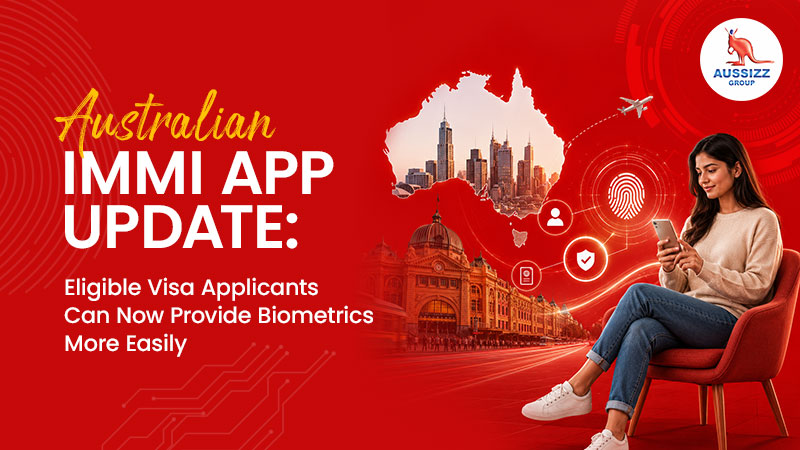
Australian Immi App Update: Eligible Visa Applicants Can Now Provide Biometrics More Easily
The Australian visa process is becoming more digital for many offshore applicants. With the expansion of the Australian Immi App, eligible applicants can now provide passport details and a live facial image through their smartphone instead of attending an Australian Biometrics Collection Centre in person.
This is an important update for applicants applying for Australian visas from overseas. Biometrics can be one of the most stressful parts of a visa application, especially when the nearest collection centre is far away, appointment availability is limited, or travel costs are high. The Australian Immi App may reduce that pressure for applicants who meet the eligibility conditions.
However, the app is not available to every visa applicant automatically. It can only be used by eligible applicants in supported countries who receive the right biometrics request letter and have a valid passport. If the Visa Lodgement Number does not start with AUI, the applicant must attend an Australian Biometrics Collection Centre.
Aussizz Group has helped 200,000+ applicants to their Australian Dreams, and this update is a reminder that even small visa process steps should be handled carefully. A missed biometric instruction, wrong VLN entry or incomplete identity check can delay the application.
The Australian Immi App Helps Eligible Applicants Complete Identity Checks Remotely
The Australian Immi App allows eligible visa applicants to submit their passport details and live facial image to the Department of Home Affairs. It is designed to make the identity check process easier for applicants who are asked to provide personal identifiers, also commonly known as biometrics.
Australian Immi App feature
What it means
Passport detail submission
Applicants scan their passport information through the app
Live facial image
Applicants take a photo through the app as part of the identity check
Remote submission
Eligible applicants may not need to visit an ABCC
Mobile access
The process is completed through a compatible smartphone
Home Affairs submission
Details are sent to the Department after completion
This does not mean all biometrics are removed from the visa process. It means eligible applicants may be able to complete the identity check digitally through the app instead of physically visiting a centre.
The app is most useful for applicants who have already lodged a visa application and then receive instructions from Home Affairs asking them to provide personal identifiers.
The App Is Available in Supported Countries Only
Home Affairs lists the countries where the Australian Immi App is available for eligible applicants. As per the current Australian Immi App page, supported locations include countries such as Nepal, Pakistan, Sri Lanka, the Philippines, Malaysia, Saudi Arabia, the United Arab Emirates, Singapore, South Korea, Thailand, New Zealand for third-country nationals and others.
Supported country examples
Relevance for applicants
Nepal
Useful for many student and visitor visa applicants
Pakistan
May assist eligible applicants with biometric submission
Sri Lanka
Helpful for applicants who receive AUI biometrics instructions
Philippines
Can support eligible visitor, student or family visa applicants
Malaysia
Useful for applicants based in Malaysia
Saudi Arabia
Helpful for applicants in the Gulf region
United Arab Emirates
Useful for Dubai, Abu Dhabi and wider UAE-based applicants
Singapore
Can help eligible applicants avoid centre visits
New Zealand
Applies to third-country nationals where eligible
South Korea
Supports eligible applicants in the listed location
Applicants should always check the latest supported country list before relying on the app. Availability can change, and eligibility still depends on the biometrics request letter.
You Need an AUI Visa Lodgement Number to Use the App
One of the most important requirements is the Visa Lodgement Number, commonly called the VLN. To use the Australian Immi App, the applicant must have a Requirement to provide personal identifiers letter with a VLN that starts with AUI.
VLN situation
What the applicant should do
VLN starts with AUI
Applicant may be able to use the Australian Immi App
VLN does not start with AUI
Applicant must attend an Australian Biometrics Collection Centre
Multiple family members applying
Each person has their own VLN
Wrong VLN entered
The identity check may not match the correct applicant
Letter not received yet
Applicant should wait for the official instruction
This is where many applicants can make mistakes. If a family applies together, each applicant may have a different VLN. The parent should not use one person’s VLN for all family members. Each identity check must match the correct applicant.
A Valid Passport and Compatible Smartphone Are Required
The app process depends on passport scanning and facial image capture. Applicants need a valid passport and a smartphone that can complete the required checks.
Requirement
Why it matters
Valid passport
The app uses passport details for identity verification
Camera access
Needed to scan passport and take facial image
NFC enabled
Required to read the passport chip where applicable
Location services
Must be enabled for the app
Stable internet
Needed to submit the identity check
Compatible device
Instructions should be checked in the app store
The Near-Field Communication feature, usually called NFC, is important because many modern passports contain a chip. If the passport has a chip, the app may ask the user to scan it. If the passport does not contain a chip, that step may not be required.
Applicants should prepare the phone settings before starting. Weak internet, disabled NFC or blocked camera access can interrupt the process.
The Australian Immi App Process Has Five Main Steps
The app process is designed to be simple, but it still needs careful attention. Home Affairs outlines five key steps for completing the identity check.
Step
What happens
1. Provide VLN
Scan the barcode or manually enter the Visa Lodgement Number
2. Scan passport
Scan the passport data page and passport chip where applicable
3. Confirm details
Check that passport information matches correctly
4. Take applicant photo
Capture a live facial image using the app
5. Submit identity check
Send the information to the Department
Each step should be completed carefully. If passport details are scanned incorrectly, the applicant should rescan before submitting. If the facial image is unclear, the applicant may need to retake the photo.
The app also allows applicants to enter an email address to receive confirmation of submission.
A Clear Facial Image Can Prevent Repeat Attempts
The facial image is a key part of the identity check. The app requires the applicant to take a photo that is clear and suitable for biometric verification.
Photo issue
Better approach
Dark background
Stand in front of a light-coloured wall
Shadows on face
Use even lighting
Glasses causing reflection
Remove glasses if practical
Face not centred
Align face within the app’s oval guide
Other people in background
Take the photo alone
Heavy makeup affecting image
Keep the face clearly visible
The applicant should face forward, keep eyes open and avoid anything covering the face or eyes. The app will automatically capture the image when the face is in the correct position.
If the app cannot capture a suitable image after several attempts, the applicant should follow the instructions in the biometrics letter for attending an Australian Biometrics Collection Centre.
Using the App Can Remove the Need to Attend an ABCC
One of the biggest benefits of the Australian Immi App is that eligible applicants do not need to attend an Australian Biometrics Collection Centre after successfully completing the app process.
App-based biometrics
ABCC biometrics
Completed through smartphone
Completed at a physical centre
Requires AUI VLN
Required when VLN is not AUI
Uses passport scan and facial image
May involve in-person collection
Can reduce travel and appointment pressure
May require booking and travel
ImmiAccount updates after submission
Submission handled through centre process
After the app identity check is submitted successfully, ImmiAccount is expected to update within 24 hours. If Home Affairs needs more information, they will contact the applicant with further instructions.
Applicants should not assume the visa will be granted immediately after biometrics. Biometrics are only one part of the visa process. The visa application still needs to be assessed based on the relevant criteria.
The App Does Not Store Your Data After Submission
Data privacy is a common concern for applicants using government apps. Home Affairs states that the Australian Immi App sends passport details and facial images to the Department and does not store the data after submission.
Data point
What applicants should know
Passport details
Sent to the Department after submission
Facial image
Sent as part of the identity check
App storage
Data is not stored after submission
Error handling
App will tell the user if information was not sent
Confirmation
Final screen appears after successful submission
Applicants should still use the app carefully and only download it from official app stores. They should avoid using unofficial links or third-party apps claiming to collect Australian visa biometrics.
Common Mistakes Applicants Should Avoid
The Australian Immi App can save time, but mistakes can still cause delays. The most common problems happen when applicants rush through the process or ignore the exact instructions in the biometrics letter.
Common mistake
Why it can cause a problem
Using the wrong VLN
Identity check may not match the correct applicant
Assuming everyone can use the app
Only eligible applicants with AUI VLN can use it
Disabled NFC
Passport chip may not scan
Poor photo quality
Facial image may not be accepted
Wrong passport scan
Information may need to be recaptured
Weak internet connection
Submission may fail
Not checking ImmiAccount
Applicant may miss updates or further requests
For families, the most important mistake to avoid is mixing up VLNs. Each applicant’s biometrics letter should be handled separately.
FAQs
Q1. What is the Australian Immi App?
The Australian Immi App is a mobile app that allows eligible visa applicants to provide passport details and a live facial image to the Department of Home Affairs as part of the identity check process.
Q2. Who can use the Australian Immi App?
Eligible applicants in supported countries can use the app if they receive a Requirement to provide personal identifiers letter with a Visa Lodgement Number starting with AUI and hold a valid passport.
Q3. Can everyone use the Australian Immi App for biometrics?
No. If the Visa Lodgement Number does not start with AUI, the applicant must attend an Australian Biometrics Collection Centre.
Q4. What documents do I need to use the Australian Immi App?
Applicants need their Requirement to provide personal identifiers letter, AUI Visa Lodgement Number and valid passport.
Q5. Does the Australian Immi App collect fingerprints?
The app is used to provide passport details and a live facial image. Applicants should follow the instructions in their biometrics letter to confirm whether app submission is available for their case.
Q6. Do I still need to attend a biometrics centre after using the app?
If the identity check is successfully completed through the app, the applicant does not need to attend an Australian Biometrics Collection Centre unless Home Affairs later asks for more information.
Q7. How long does ImmiAccount take to update after using the app?
Home Affairs states that ImmiAccount will be updated within 24 hours after successful submission through the app.
Q8. What if my app submission fails?
If the information is not sent, the app will tell the applicant to capture the information again. If the applicant still cannot complete the process, they should follow the biometrics letter instructions.
Q9. Can families use the Australian Immi App together?
Each family member who receives a biometrics request will have their own VLN. The correct VLN should be used for each person.
Q10. Can Aussizz Group help with Australian visa biometrics and application guidance?
Yes. Aussizz Group can help applicants understand biometrics instructions, visa document requirements and the next steps after lodging an Australian visa application.

 AUS
Australia
AUS
Australia
 IND
India
IND
India
 UAE
UAE
UAE
UAE
 CA
Canada
CA
Canada
 SL
Srilanka
SL
Srilanka
 HK
Hong Kong
HK
Hong Kong